

At the top of my OSINT library, right now, there are two books: OSINT Techniques by Michael Bazzell and Deep Dive by Rae Baker. They take different approaches, but both are very hands-on and both have proved very useful over time. And it is precisely from one of them that this story begins.
In chapter 16 of the latest edition of OSINT Techniques (“Custom Search Tools”, pages 175-182), Michael Bazzell walks through his historic search tools line by line, with a declared goal: helping the reader create and maintain their own search tools, because any online tool outside your control can disappear overnight. It happened to him first: in 2019 he was forced to take his public tools down, only to bring them back online three years later.
I took that invitation literally: I drew inspiration from what Bazzell had built and created my own personal version of that project, shaped around my needs.
Then, prompt after prompt, the project evolved quite a bit until it reached its current form. The result, Exploratores, is the fruit of several months of work that I decided to share on GitHub.
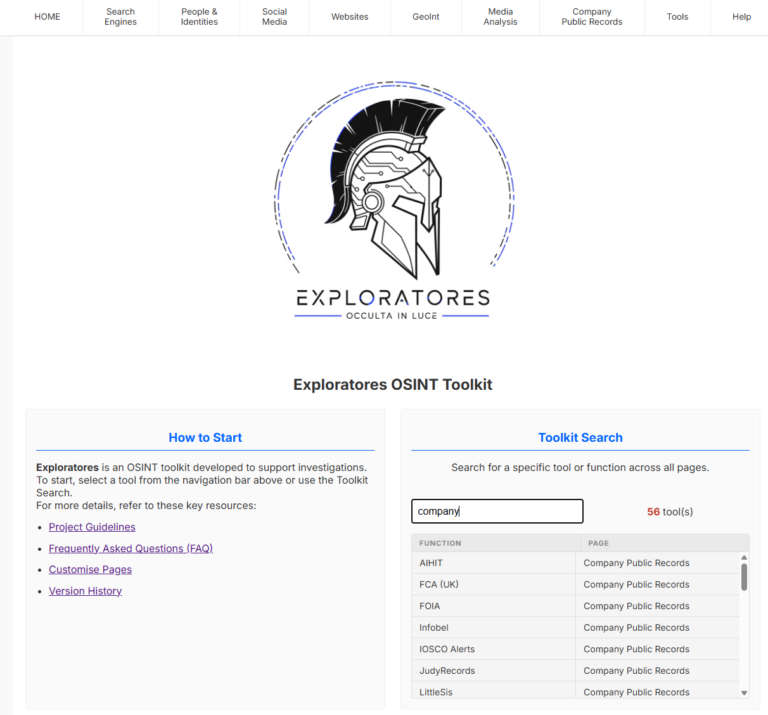
The name comes from one of the elite corps of the Roman army, the exploratores. If you follow the blog, you already know about my obsession with ancient Rome’s intelligence.
What it is
Exploratores is an OSINT toolkit designed to run from a local directory. Once you clone or download the repository, open launchme.html from the main folder in your browser and you have a toolbox organised by type of investigation: search engines (clear web and Tor), people and identities (names, phone numbers, emails, addresses, usernames), social media (X, Facebook, Instagram, LinkedIn, VK, Telegram), domains and IPs, GeoInt, image and video analysis, companies and finance with corporate registries, crypto, and a tool to quickly check IBANs. Finally, there is a Tools section with a local copy of CyberChef and Redactor, which I will get to in a moment.
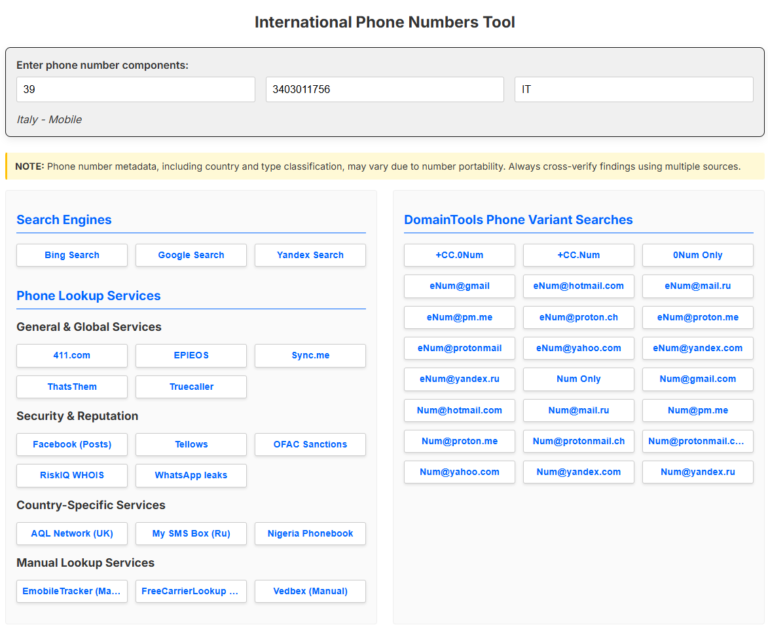
Under the hood there are almost nine hundred search options catalogued in a single library. Remember: there is no central server; the backend simply does not exist, since everything is built on HTML, CSS and JavaScript.
Who it is for
This is the point I care about most. If you work in a locked-down environment (a public institution, an organisation with strict policies, a place where you cannot run local LLMs), you will never be able to use most of the scripts you would normally run on your own machine. On the other hand, you may not have the budget to pay for commercial licences.
Exploratores was designed precisely to cover this kind of scenario. It does not track your searches, it does not log anything, it does not send data to anyone: what happens in your browser stays in your browser.
Let me be clear about one thing, before someone else says it: Exploratores is not remotely meant to compete with commercial platforms like Skopenow, Epieos or Social Links, which do an immensely better job at an infinitely higher cost.
They are two different worlds.
Think of Exploratores as the tool you use when you cannot use anything else: because of policy, for lack of budget, or because you are just getting started.
You might still have access to an LLM without having permission to feed it personal data. In that case you can lean on Redactor.
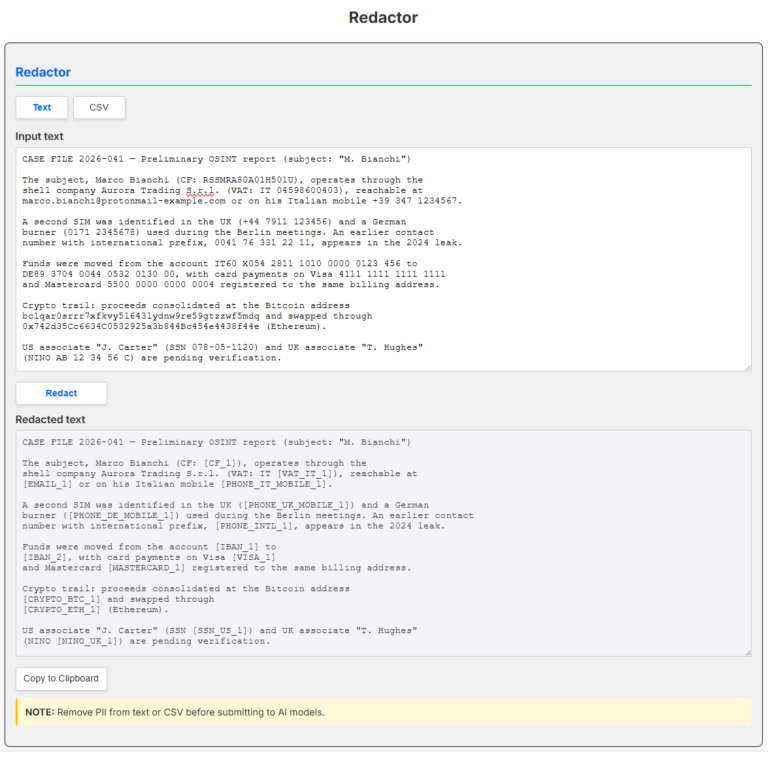
As you can see from the screenshot, you paste the text you want to sanitise (or upload a CSV), and the tool replaces emails, tax codes, VAT numbers from more than thirty countries, card numbers, IBANs and Italian mobile numbers with numbered placeholders.
This way you can feed ChatGPT or Gemini the sanitised version and, once you are done with your tasks, restore the text through Redactor and use it in your report.
All processing happens locally.
It may well be the tool you will use the most when there is a very clear ban on what you can and cannot hand over to an LLM.
From Bazzell to a single catalogue
Let me say it before anyone asks: Exploratores is not a clone of Bazzell’s tools.
It is the author himself, in chapter 16, who ships the templates with the book and invites every reader to build their own version: “it is up to you to modify these as needed”, customise the sources, add features.
If you want to build yours from scratch, those pages (175-182 of the 11th edition) are the right reference: they explain the code line by line.
As you can see for yourself if you take a look under the hood, I stretched the concept until it became something else: many more resources (the almost nine hundred searches mentioned above) plus some features I needed, like the IBAN tool with offline bank-name resolution, Redactor, and a local copy of CyberChef, the “Cyber Swiss Army Knife” of data analysis.
The decisive difference, though, is the architecture. In the project described in the book every page hosted its own JavaScript, one function per button, and so on.
That works if you have a limited number of functions, but it scales very badly.
The choice I made in Exploratores was to centralise everything in a few JS files. The HTML pages only contain the structure: no button contains code; each one only carries an identifier. One file, search-library.js, acts as the catalogue: for every identifier it says which URL to build and which function to validate the input with.
main.js is the engine of the software: it waits for clicks, validates and opens the search.
The input validation functions live in validators.js.
The navigation bar across sections is defined once for all pages.
Why go to all this trouble?
Adding a new service means touching one file instead of thirty-six. If you want to see in detail how it works, take a look at the project’s FAQ and customise pages.
A permanent building site
Exploratores is not a finished product, and I have no intention of letting it become one.
It is an open building site where I add the features I need for my daily work. Recent versions brought Redactor, the offline bank databases for IBAN verification covering eleven countries, and the dedicated help pages. The roadmap holds a list of ideas and sources under evaluation that is longer than I will ever be able to clear, and that is exactly how it should be.
I also tried to take care of the documentation that ships with the project: the Guidelines with the analytical standards (the 5W1H method, the probability table, basic OPSEC), the FAQ, the guide to customising the software, and the help pages dedicated to Redactor and IBAN.
Want to contribute? Open an issue on GitHub: report a dead link, suggest a service, let’s discuss a new feature.
What now?
Download it, use it, customise it. Which searches could never be missing from your own version of Exploratores?
Give me your feedback in the comments or on the Telegram group!
This article was translated with the help of an AI language model and may contain inaccuracies.
Leave a Reply